
How Does Water Eject Work? Sound, Speaker Vibration and Limitations
Understanding how sound waves interact with speaker diaphragms, mesh grilles, and trapped droplets helps you know when sound-based cleaning is useful and when other device-care steps are needed.
How Does Water Eject Work?
Open Water Eject Tool
Open the browser-based Water Eject tool on your phone without installing an app.
Select Sound Profile
Choose a sound mode based on your speaker testing needs.
Play Water Eject Sound
The tool plays controlled tones through your phone speaker.
Check Speaker Output
Compare sound clarity, volume, and distortion after testing.
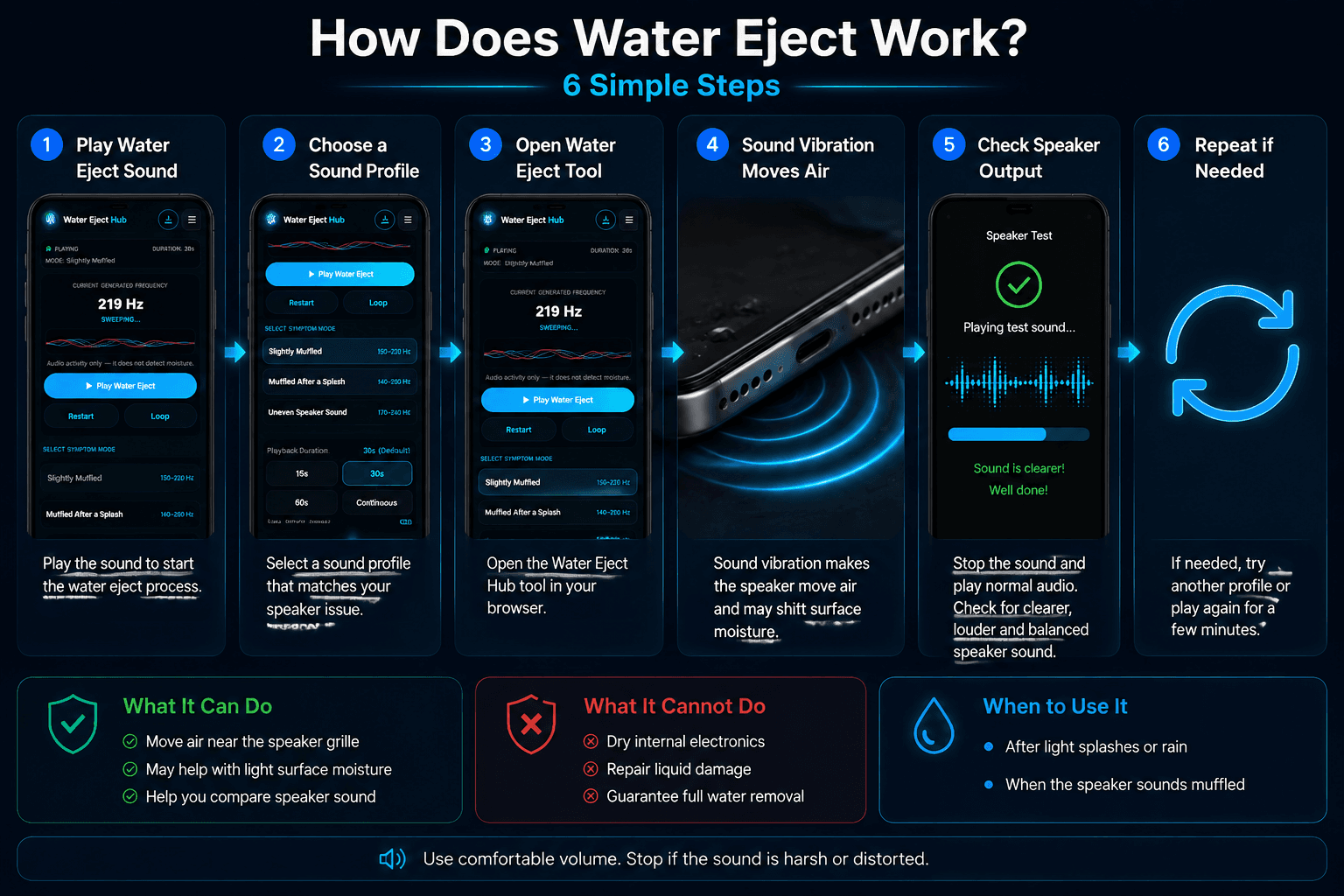
Diagram showing how controlled sound frequencies vibrate a phone speaker and may help shift minor surface moisture near the external grille; it cannot remove internal liquid or repair water damage.
How Does Water Eject Sound Help a Speaker?
The question “How does water eject work?” has two practical parts: speaker vibration and changing frequencies. These features help users compare speaker response after minor moisture exposure.
Speaker Vibration
Sound playback moves the speaker diaphragm and creates air movement near the external grille.
Changing Frequencies
Different tones allow users to test how the speaker responds across multiple ranges.
Water Eject Sound Profiles Explained
Low Pulse
Uses lower tones for basic speaker response comparison.
Step Cycle
Uses changing tones to compare output across ranges.
Wide Sweep
Checks speaker response through a wider frequency range.
Water Eject vs Speaker Cleaner
Water Eject Tool
Best for sound playback after light moisture exposure and speaker comparison.
Speaker Cleaner
Best for testing speaker clarity, frequencies, and audio response.
What Water Eject Cannot Do
What It Can Help With
Comparing speaker output and testing sound changes after minor moisture exposure.
What It Cannot Do
Repair damaged hardware, detect internal water, or guarantee complete moisture removal.
Safety Tips Before Using Water Eject
Use Comfortable Volume
Avoid maximum volume and stop if sound becomes uncomfortable.
Check Bluetooth Connection
Make sure audio is playing through your phone speaker.
Avoid Sharp Objects
Do not insert tools into the speaker grille.
Common Questions About Water Eject Sound
Ready to Test the Water Eject Sound?
Use our free browser-based audio tools to play frequency sweeps, test speaker clarity, or compare acoustic responses on your device.