Water Eject: Help Clear Water From Your Phone Speaker
Use this free browser tool to play a low-frequency sound that may help move small droplets trapped around your phone’s speaker grille. It works in compatible browsers, so there’s nothing to download.
The Water Eject tool cannot dry internal components, clear liquid from a charging port or repair water damage.
How to Use the Water Eject Sound
If your phone sounds muffled after rain or a small splash, dry the outside first, then follow these steps.
Dry the Exterior First
Wipe the phone with a clean, dry microfiber cloth. Take off the case so moisture is not trapped against the device.
Position the Speaker Downward
Hold the phone with the affected speaker facing down over a clean, lint-free cloth. This gives loose droplets a chance to move away from the grille.
Start a Short Cycle at Moderate Volume
Choose the mode that best matches the problem and start at a moderate volume. Increase the volume slowly only if needed.
Listen for Improvement
When the cycle ends, play familiar music, a ringtone or a voice message. Listen for any improvement in clarity.
Repeat Only if Needed
If the speaker is still muffled, let the phone dry longer before trying one more short cycle. Stop at once if you hear distortion or unusual rattling.
What Is a Water Eject Sound?
A water eject sound makes the phone speaker move repeatedly. That movement may help shift small droplets sitting near the outer speaker grille.
Phones use different speaker designs, so there is no single frequency that works for every device. Results also depend on how much liquid is present and where it has reached.
A water eject sound may be worth trying after minor moisture exposure when the speaker still works. It cannot dry internal parts, clear a charging port or repair liquid damage.
Apple uses a series of tones to clear water from an Apple Watch speaker, but this does not establish one approved frequency for every phone.
How Water Eject Sound Works
Speaker Movement
Playing a tone makes the speaker diaphragm move back and forth. If a small droplet is resting near the outer grille, that movement may help it shift.
Frequency Sweeps
The preset modes move through a range of tones instead of staying on one fixed pitch. Different phones can respond differently to the same sweep.
What the Sound Does Not Reach
A water eject sound comes from the speaker itself. It does not dry internal electronics or a wet USB-C or Lightning connector.
For a deeper explanation of speaker movement, frequency sweeps and browser audio behavior, see our How It Works guide.
When to Use the Sound Tool
A water eject sound is most relevant after minor moisture exposure when the phone still works and the speaker sounds muffled, quiet or uneven.
Muffled After Rain or Splash
A little water around the speaker grille can make your phone sound muffled after rain or a small splash.
Uneven Speaker Volume
If one speaker sounds quieter than the other after moisture exposure, give the phone time to dry before testing it again.
After Exterior Drying
Once the phone has had time to dry, play familiar audio and check whether the sound is back to normal.
Not for a Wet Charging Port
A wet charging port needs different care. Do not use sound to try to dry it.
What to Do When Your Phone Gets Wet
Start with simple drying steps first. If the phone was heavily wet, submerged or behaving abnormally, follow the manufacturer’s guidance instead of relying on the sound tool.
Practical First Steps
- Remove protective cases and accessories.
- Wipe exterior surfaces with a soft, lint-free cloth.
- Turn off the device if it was heavily wet or submerged.
- Let the phone rest upright in a well-ventilated, dry room.
Actions to Avoid
- Do not insert pins, needles, cotton swabs or other objects into openings.
- Do not use hair dryers, ovens or other heat sources.
- Do not use compressed air.
- Do not connect a charging cable while the connector is wet.
When to Seek Professional Repair
- The phone was submerged in salt water, pool chlorine or sticky drinks.
- The display flickers, shows discoloration or stops responding to touch.
- The device will not power on or reboots unexpectedly.
- Fogging or moisture droplets appear inside camera lenses.
If the speaker is still distorted after the phone has had enough time to dry, check the manufacturer’s advice or contact a qualified repair service.
Water Eject Sound Modes and Preset Sweeps
Phone speakers differ in size, tuning and frequency response, so the same tone can sound different on different devices. Use the modes below to compare how your speaker responds.
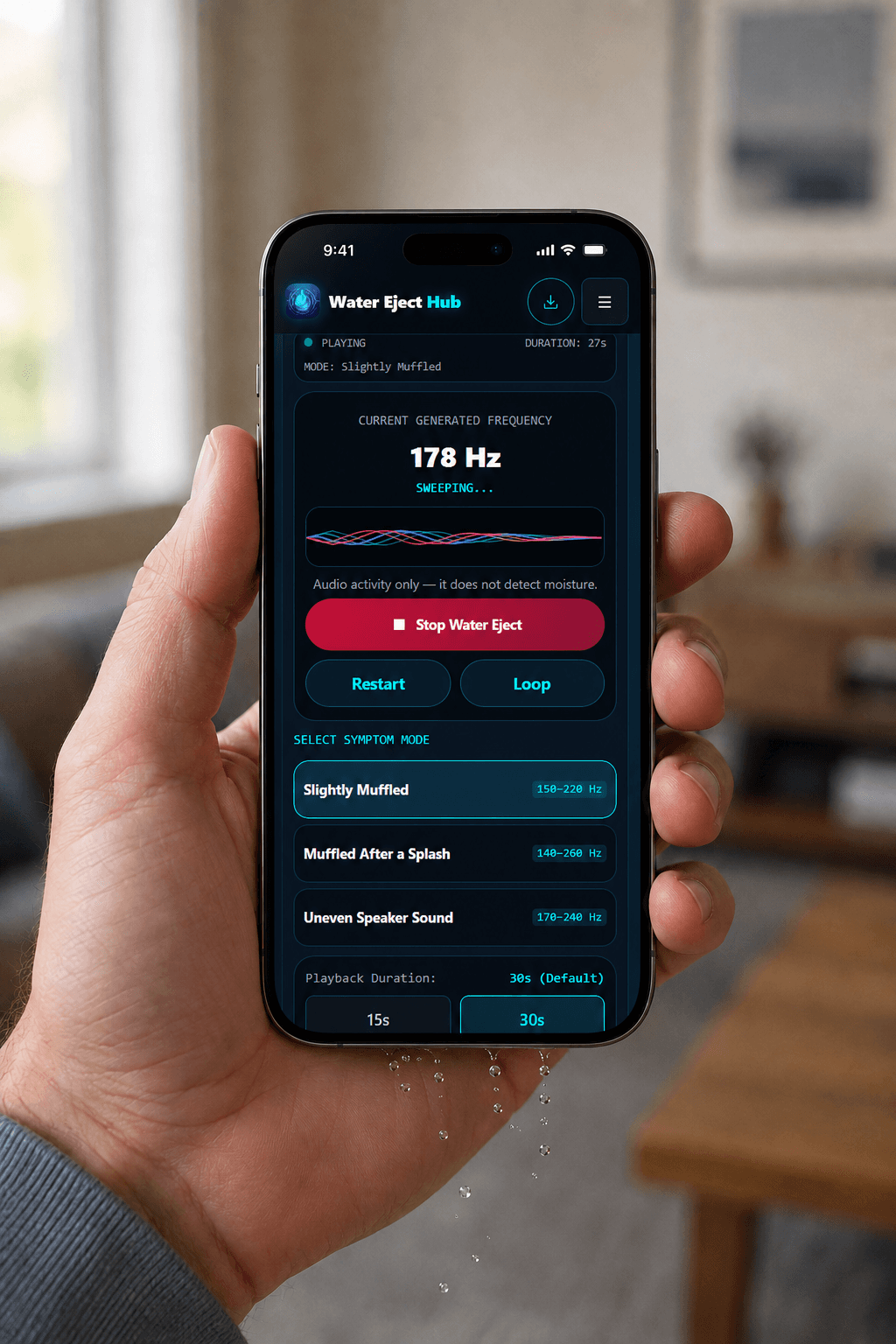
Slightly Muffled (150–220 Hz)
A focused low-frequency sweep for checking speaker response after minor humidity.
Muffled After a Splash (140–260 Hz)
A wider low-frequency sweep for checking speaker response after minor splash exposure.
Uneven Speaker Sound (170–240 Hz)
A low-frequency sweep for comparing playback when the speaker sounds weak or uneven.
Web Utility Features
Runs in Compatible Browsers
The Water Eject tool uses modern browser audio features, so no browser extension is required.
No App Installation Required
You can use the browser tool without downloading an app or creating an account.
Three Preset Sweep Modes
Choose from three symptom-based water-eject sweep ranges for comparing different speaker responses.
Manual Frequency Control
Select a custom frequency between 100 Hz and 12,000 Hz and choose sine or triangle waveform playback.
User-Controlled Playback
Choose a duration, restart playback, toggle looping and adjust the tool output level.
Local Audio Generation
The Water Eject sound is generated in your browser. The tool does not require microphone access.
Device Guides & Speaker Resources
Choose the guide that matches your phone or problem.
See how to use the sound tool on an iPhone and when it may be worth trying.
Follow water-eject guidance for Samsung Galaxy, Google Pixel, Xiaomi, OnePlus and other Android phones.
Play speaker test tones and troubleshoot muffled or uneven sound.
Follow practical steps for a wet phone and learn when a sound tool may help.
See what to do when your phone detects moisture in a USB-C or Lightning port.
What This Water Eject Tool Cannot Fix
The sound tool is limited to speaker playback. It cannot repair hardware damage or dry liquid that has reached other parts of the phone.
- Internal liquid: The sound cannot dry water inside the phone or around internal electronics.
- Corrosion or residue: Audio playback cannot remove corrosion, mineral deposits or residue left by liquid.
- Electrical problems: A tone cannot restore components that have shorted or stopped working.
- Physical speaker damage: Torn, damaged or failed speaker hardware needs proper diagnosis or repair.
- Charging-port moisture: Speaker vibration does not dry USB-C or Lightning connectors. See the Water in Charging Port guide.
- Serious submersion: Do not rely on a sound tool after prolonged or severe liquid exposure.
Browser Water Eject Tool vs Third-Party Mobile Apps
If you only want to play a water-eject sound, you can use the browser tool without installing an app. Downloadable apps may offer other features, but their permissions and privacy practices depend on the developer.
| Area | Browser-Based Tool | Third-Party Mobile Apps |
|---|---|---|
| Access | Runs directly in compatible web browsers. | Require an app download and device storage. |
| Account | No account or signup is required for the tool. | Account requirements vary by app. |
| Controls | Includes frequency, duration and output controls. | Features vary by developer and application. |
| Privacy | Generates sound locally and does not need microphone access. | Permissions and privacy practices vary by app. Review the app-store listing and privacy policy. |